
The design phase is the most critical and most vulnerable stage of any HMI/SCADA project. Architectural decisions made early directly influence scalability, usability, and long-term maintainability. A well-designed system can evolve as requirements change; a poorly designed one quickly becomes rigid, costly, and difficult to modify.
In HMI/SCADA applications, design extends far beyond screen layout. It defines data models, reusable templates, navigation structures, alarm and trend strategies, and how operators interact with real-time data. These foundational decisions determine whether an application can be standardized, reused, and efficiently deployed across multiple machines, production lines, or facilities.
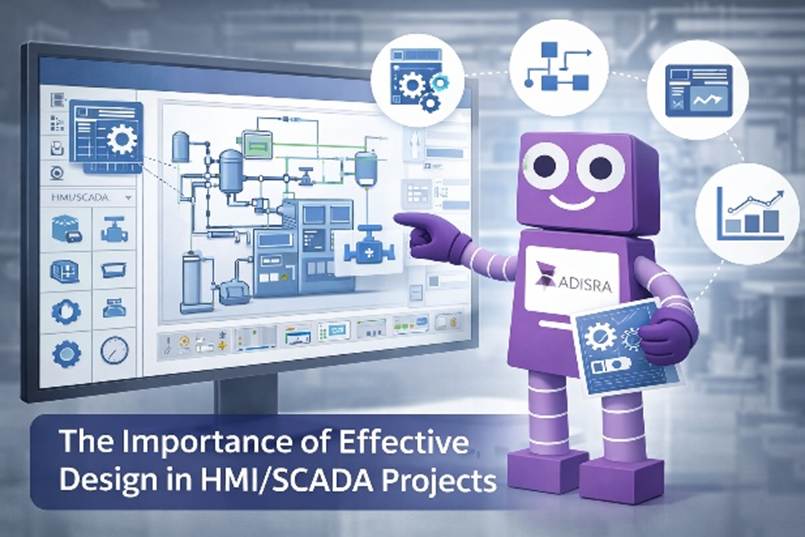
Modern HMI/SCADA platforms that support template-based development allow engineers to create reusable graphical components and functional objects that represent common equipment and processes. By encapsulating behavior, data bindings, and visualization into templates, development teams dramatically reduce engineering effort while ensuring consistency and reliability across the entire application.
Leveraging templates is one of the most effective ways to reduce development time, both initially and over the system’s lifetime. Templates accelerate project delivery and simplify future expansion, modification, and maintenance. Fully embracing template-driven design is a defining characteristic of experienced HMI/SCADA professionals and a key factor in building systems that scale efficiently over time.
To achieve this level of reuse and scalability, templates must be a core architectural construct, not an afterthought. ADISRA SmartView was designed with this principle in mind, embedding templates at its core. This approach enables engineers to encapsulate visualization, behavior, and configuration into reusable components that support long-term system evolution.
Template-Driven Design and Run-Time Configuration in ADISRA SmartView
ADISRA SmartView enables template-driven HMI/SCADA development through the Templates document, where engineers define reusable objects composed of any combination of available graphic elements. Each template encapsulates visualization, data bindings, and behavior into a single, reusable unit. Once configured, templates can be inserted into graphic documents to rapidly deploy multiple instances or exported for reuse in other ADISRA SmartView projects.
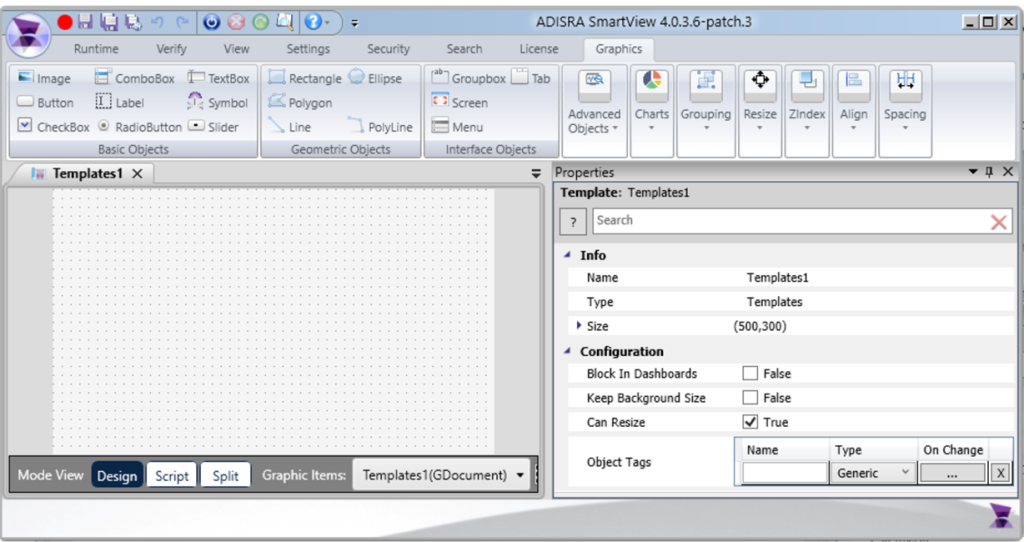
Templates are applied using the Template object, which allows users to select system-provided templates or those created within the project. When a template is inserted, the associated object tags defined in the template configuration are automatically created and bound. This automation ensures consistency while reducing manual configuration and engineering errors. The Template object resides in the Advanced Objects category and is placed directly onto a graphic screen.
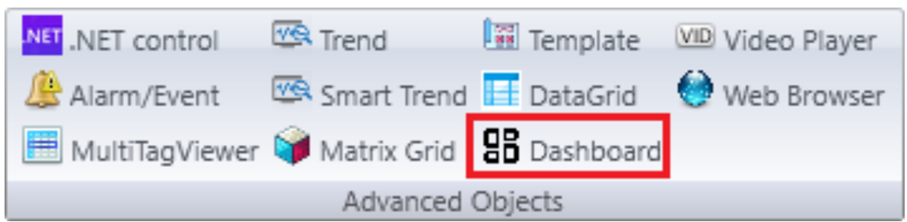
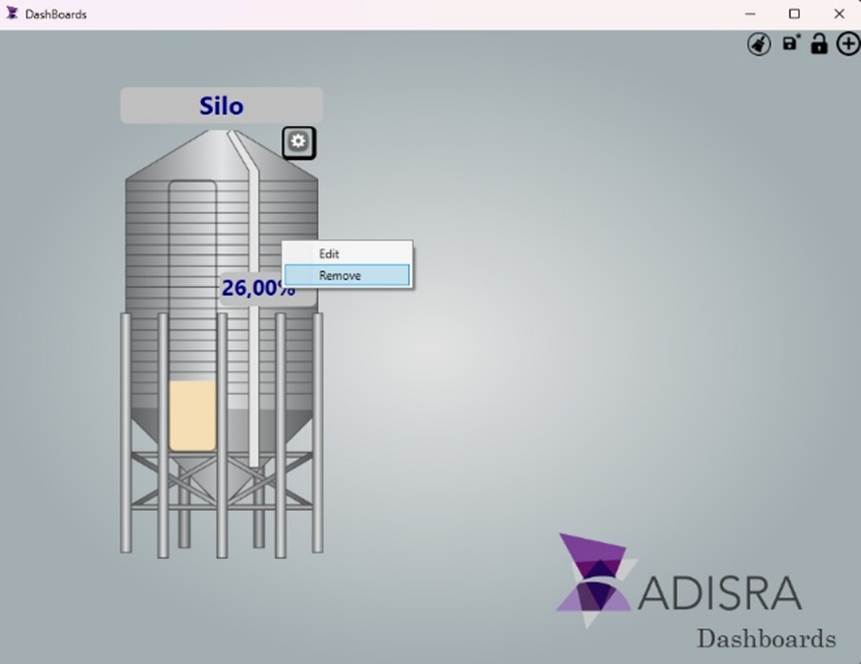
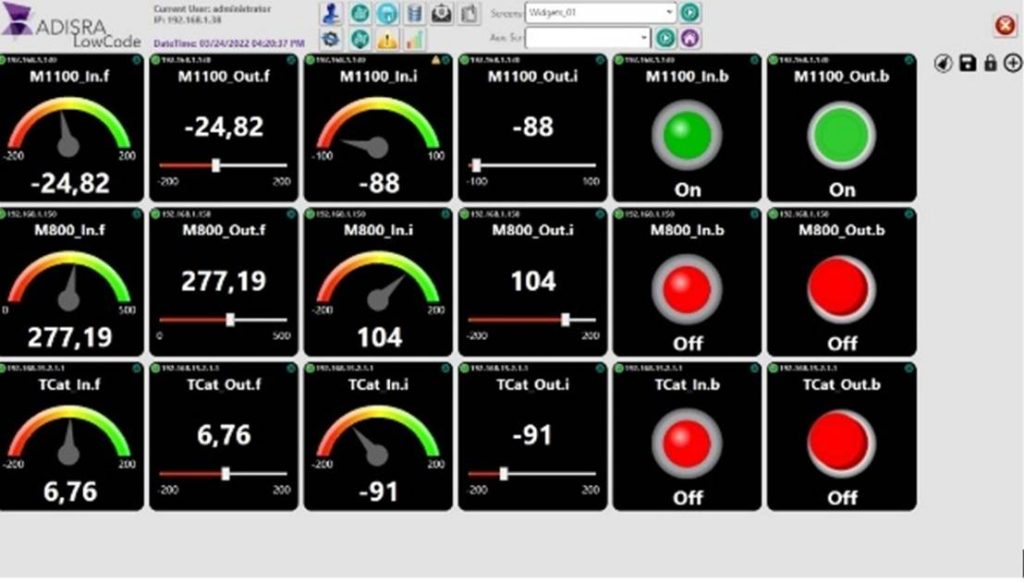
To further enhance flexibility, ADISRA SmartView includes a Dashboard object that enables templates to be added dynamically at runtime. The Dashboard acts as a container for runtime-configurable templates, allowing users to insert, reposition, and save template instances while the application is running. These configurations persist across runtime restarts, enabling the creation of adaptable operator interfaces without modifying the original design.

The Dashboard provides three runtime controls:
- Save, which preserves the current layout
- Move, which enables or disables repositioning of templates
- Add Template, which opens the Templates window for inserting additional templates
Beyond these controls, templates can also be managed directly at runtime using simple right-click actions. Users can right-click a template to edit or remove it, click to select and reposition it, and resize it as needed. An object function is also available to clear all templates from the Dashboard when required.
Runtime configuration in ADISRA SmartView extends far beyond graphics. Engineers and operators can make dynamic changes to alarms, trends, recipes, reports, driver configurations, database connectivity, and more, without returning to design mode. This flexibility enables truly adaptive HMI/SCADA applications that evolve seamlessly as operational requirements change.
A powerful example of this capability is ADISRA SmartView’s Low-Code Template, which demonstrates how runtime configuration can significantly simplify system customization and deployment. If you are interested in exploring this approach, contact us at info@adisra.com to learn more or request access to the Low-Code Template.
Like the Template object, the Dashboard is located in the Advanced Objects category and is placed directly onto a graphic screen.
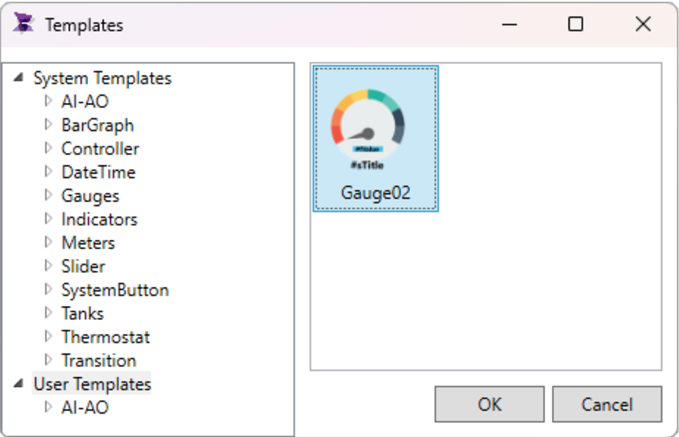
In addition to user-defined templates, ADISRA SmartView includes a built-in library of preconfigured templates that are ready for immediate use. These templates can be used as-is or customized to meet specific application requirements, providing a fast, standardized starting point while maintaining consistency and accelerating development.
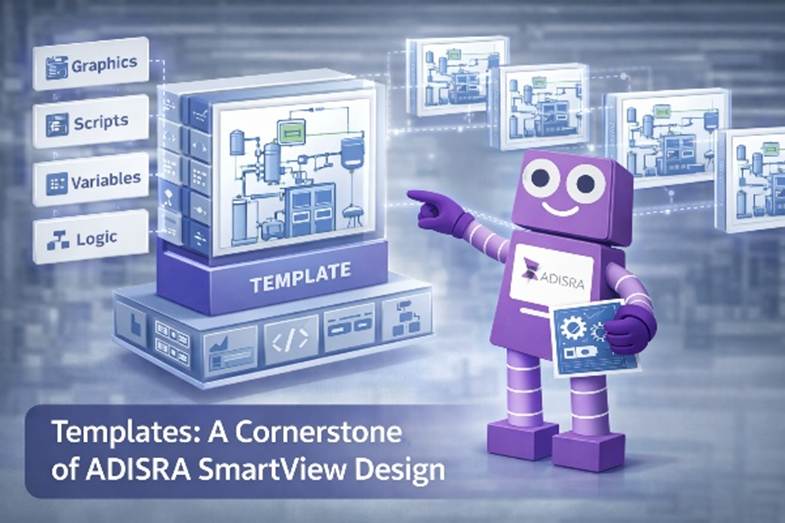
Why Templates Matter: Best Practices for Scalable HMI/SCADA Design
Templates are a foundational element of modern HMI/SCADA project design. When used correctly, they enable teams to build applications that are faster to develop, easier to maintain, and far more adaptable to change. In ADISRA SmartView, templates are not merely a convenience; they are a core mechanism for scalability, consistency, and long-term efficiency.
At their core, templates provide encapsulation: the bundling of graphics, scripts, variables, and logic into a self-contained unit. Each template can be developed, tested, and validated independently of the application it is used in. This makes templates reliable building blocks that can be reused across screens, projects, and even organizations.
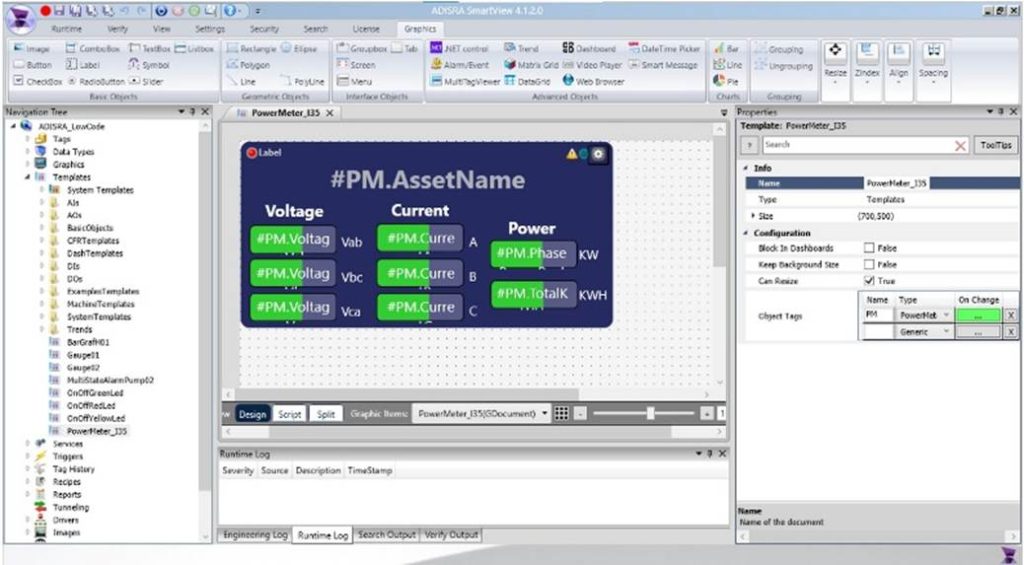
Templates are also inherently extensible. A base template can serve as a standard and be lightly modified to create variations without starting from scratch. This approach encourages standardization while preserving flexibility when application-specific customization is required.
Because templates are reusable and shareable, they support a consistent corporate look and feel across machines, production lines, and facilities. When needed, templates can also be secured to prevent unauthorized reuse or modification.
From a maintenance perspective, templates dramatically simplify long-term support. Updates are made at the template level and automatically propagate to all instances that use the template. This reduces duplication, minimizes application size, and eliminates repetitive manual updates.
The productivity gains are substantial. Templates reduce initial development time by allowing engineers to build once and reuse many times. More importantly, they reduce future engineering effort as systems evolve. HMI/SCADA projects are rarely static; requirements change, equipment is added, and interfaces must adapt. Template-based projects are far easier to extend and maintain over time.
Templates also reduce errors by standardizing components instead of recreating similar objects from scratch. In ADISRA SmartView, templates are web-ready, enabling consistent design and behavior across desktop, mobile, and web-based interfaces.
AI Generated
Planning Templates into Your Design Strategy
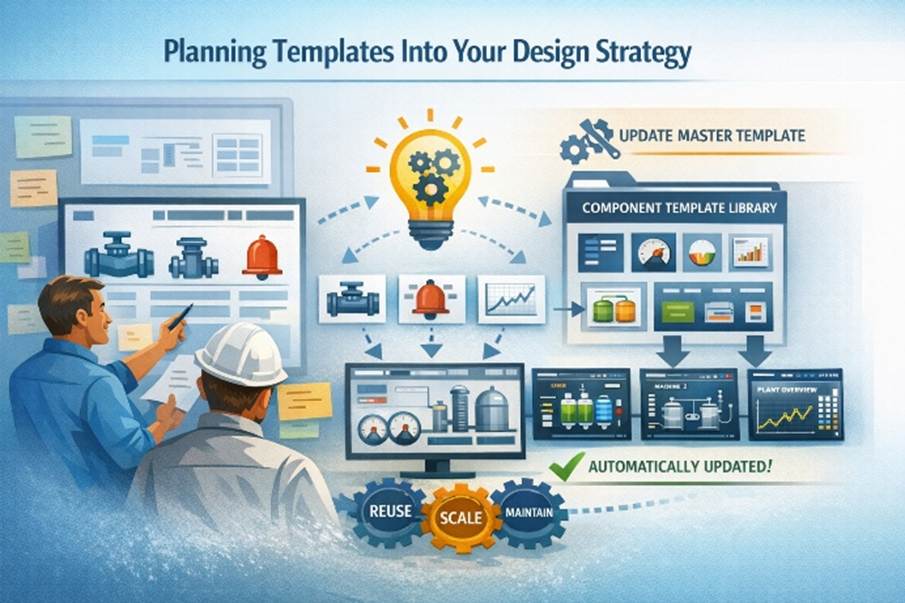
To fully realize the benefits of templates, they must be planned from the start. During the design phase, evaluate the functions your application must perform and the information it must display. Any repeated element, such as pumps, valves, alarm indicators, trends, or data tables, is an opportunity to use a template.
One of the most effective approaches is component-based templating. A component represents a functional object within the HMI/SCADA application, ranging from simple controls to complex equipment graphics or data visualizations. By creating component templates, these elements can be defined once and reused throughout the project.
When a change is required, engineers update the master template, and the change is automatically reflected across all instances. Over time, building and maintaining a library of component templates becomes a powerful accelerator, enabling faster development while maintaining consistency, quality, and control.
A project built on templates is not only faster to deliver but also easier to scale, simpler to maintain, and better prepared for future requirements. In modern HMI/SCADA development, templates are not optimized; they are best practices.
Conclusion
Template-driven design is the foundation of scalable, maintainable HMI/SCADA systems. By planning templates into your architecture from the very beginning, you reduce engineering effort, improve consistency, and create applications that can evolve alongside your operations.
If you are designing a new HMI/SCADA application, or rethinking an existing one, now is the time to evaluate how templates can simplify development and future-proof your system. Explore ADISRA SmartView’s template and runtime configuration capabilities and start building applications that scale with confidence rather than complexity.
Download ADISRA SmartView today and experience how simple it is to build reusable templates and configure them dynamically at runtime.
Interested in a personalized demo tailored to your application? Schedule a one-on-one session with our team here.

Save the Date – Webinar Coming Soon
Join us on February 24, 2026, at 9:30 AM CDT for our next live webinar.
Additional details will be sent shortly.
You can register here for the webinar.
ADISRA®, ADISRA’S logo, InsightView®, and KnowledgeView® are registered trademarks of ADISRA, LLC.
© 2026 ADISRA, LLC. All Rights Reserved.